| On This Page 1. What a University Admissions CRM Is (and How It Differs) 2. The Core Modules: Lead Nurture, Application Tracking, Counselor Dashboard 3. The Admissions Funnel: Stages, Yield, and Integrations 4. How to Build It: The Implementation Approach 5. Cost, Timeline, and Total Cost of Ownership 6. Real Case Study: A Singapore E-Learning Platform 7. Best Practices and Common Mistakes 8. FAQs |
A university admissions CRM can transform scattered inquiries into enrolled students, but only if it is built around your enrollment process. Our software product development services help universities create marketing-aware CRM systems with lead nurturing, application tracking, and counselor dashboards.
If you’re planning to build an admissions CRM, this guide explains the essential features, how the admissions funnel works, integration requirements, and the expected development cost so you can make the right decisions from the start.
The pressure behind all of this is demographic. According to the United States Department of Education’s National Center for Education Statistics, undergraduate enrollment has fallen well below its 2010 peak, and the college-age population is projected to shrink as the post-2007 birth decline reaches college age, the so-called enrollment cliff.
Fewer prospective students chasing more institutions means every lead is precious, and a CRM that nurtures and converts efficiently is how universities protect enrollment. That is the business case in one sentence.
So we will work through it in order: what an admissions CRM is and how it differs from a generic CRM, its three core modules, the funnel and integrations, how the build goes, what it costs, and a real education project we delivered. For the wider platform context, this article sits under our complete guide to EdTech software development. By the end, you will know exactly what to scope first, and what can wait for a later phase.
What a University Admissions CRM Is (and How It Differs)
A university admissions CRM is a purpose-built funnel for turning prospective students into enrolled ones. It is not a generic sales CRM, and it is not a student information system: a sales CRM tracks deals, an SIS records enrolled students, and an admissions CRM owns the messy middle, the inquiry-to-enrollment journey. Building one well is a hire Laravel developers kind of job, because it is workflow-heavy, role-based, and built around communication and review.
CRM, SIS, and admissions CRM
A generic CRM understands leads and deals but not applications, transcripts, or financial aid. A student information system understands enrolled students but not prospects who have not applied yet. The admissions CRM lives between them, nurturing prospects, tracking applications, and then handing verified enrollments to the SIS, so each system does the job it is built for.
Why higher education needs its own CRM
Admissions has a vocabulary and a calendar no generic CRM speaks: application cycles, document checklists, review committees, decision releases, and yield. Forcing a sales CRM to model all of that usually ends in workarounds that break at the busiest time of year.
Designing for that specificity is a software product engineering services discipline, and it builds on the structured data thinking explained in our guide to how learning management systems work.
The Core Modules: Lead Nurture, Application Tracking, Counselor Dashboard
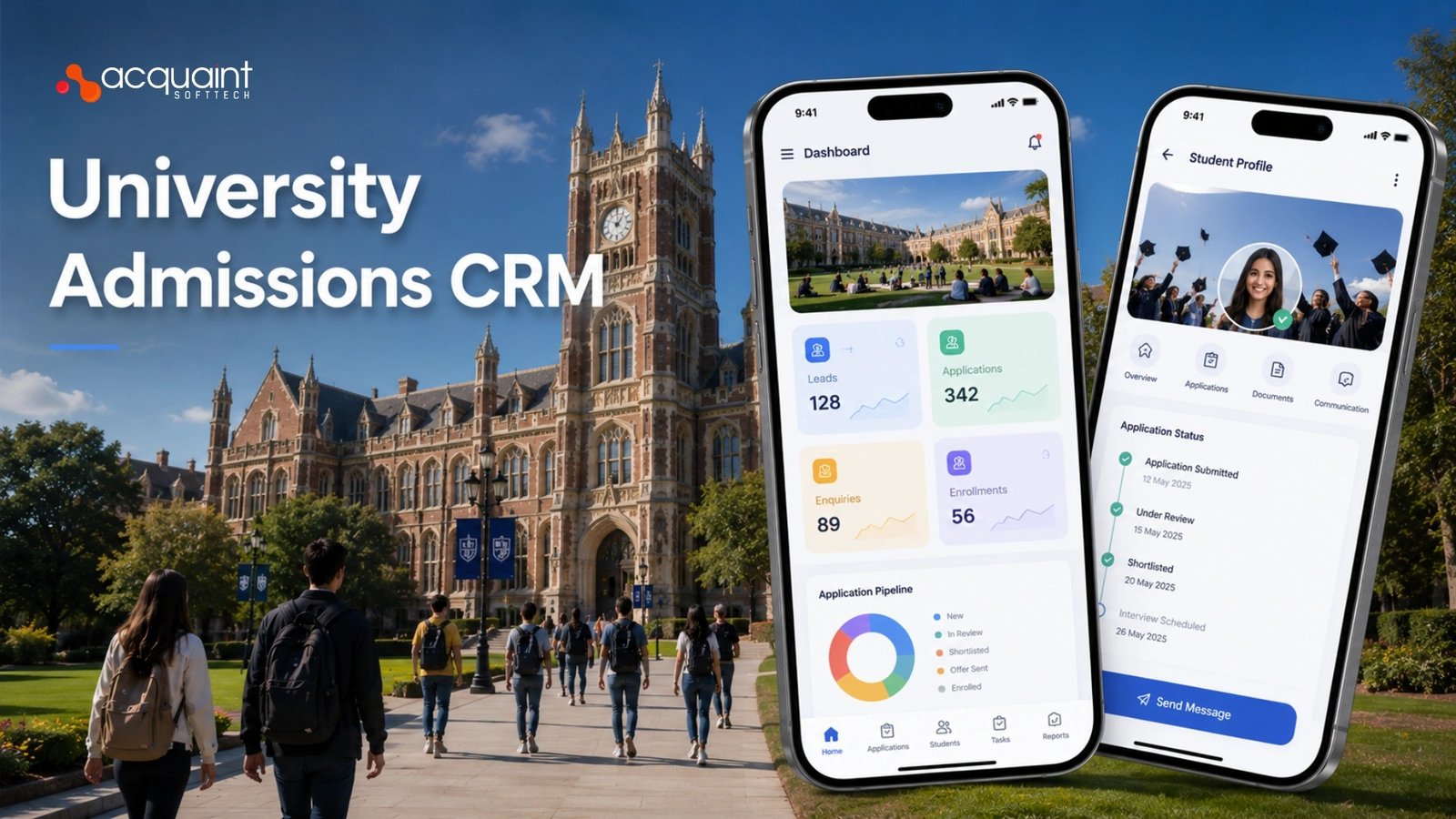
Three modules define an admissions CRM: lead nurture, application tracking, and the counselor dashboard. Lead nurture turns an inquiry into an applicant through timely, personalized communication; application tracking moves each application through documents and review to a decision; the counselor dashboard gives staff one view of their pipeline. Smart nurture increasingly uses lead scoring, which is where our AI development services add measurable value.
Lead nurture and application tracking
Lead nurture is the marketing engine: capture inquiries from web forms and events, segment by program and interest, and run email and SMS journeys that respond in hours, not days. Application tracking is the operations engine: a status pipeline, a document checklist for transcripts and references, and a review workflow that ends in a decision. Each stage must be visible to both the applicant and the staff, because uncertainty is what makes prospects drop out.
The counselor dashboard ties it together
The counselor dashboard is where the human work happens: assigned prospects, tasks for the day, full communication history, and a clear view of who needs a nudge before a deadline. A good dashboard turns a counselor from a data-entry clerk into a relationship builder, which is the whole point.
Building that kind of role-specific interface is core to dedicated software development teams work, and the same build-or-configure trade-off shows up in our comparison of product engineering services vs software development.
| Module | Job | Key signal |
| Lead nurture | Inquiry to applicant | Response speed |
| Application tracking | Applicant to decision | Document status |
| Counselor dashboard | Pipeline and tasks | Nobody forgotten |
The Admissions Funnel: Stages, Yield, and Integrations
An admissions CRM is organized around a funnel: inquiry, applicant, admitted, deposited, and enrolled, with a measurable conversion rate between each stage. The single most important number is yield, the share of admitted students who actually enroll, and the CRM exists to protect it. Modeling that funnel cleanly is the kind of scoping our IT staff augmentation teams handle at the start of a build.
Stages and yield
Each funnel stage has its own drop-off, and the CRM should make every drop-off visible so staff can act on it. Yield is where the money is: admitting students is easy, convincing admitted students to deposit and enroll is hard, and small yield gains move enrollment more than top-of-funnel volume. A CRM that reports yield by program and counselor turns admissions from guesswork into management.
Integrations prevent an island
An admissions CRM that cannot connect becomes a silo, so it needs to capture leads from your website and ads, send email and SMS, take application fees, and pass enrolled students to the SIS. Landing pages and forms are part of this, and whether you build or buy that layer is the same decision we examined in our comparison of Statamic vs WordPress. Scoping which integrations you truly need is a discovery workshop task, not an afterthought.
How to Build It: The Implementation Approach
Building an admissions CRM follows a clear sequence, and the order protects you from rework. The path runs from the funnel and data model, to the three core modules, to communications and integrations, to reporting, and finally to a phased rollout across one cycle. Getting the foundation right is core software development outsourcing work that pays back through every admissions season.
Start with the funnel and the record
Model the prospect, the application, and the funnel stages first, with history, so a student who inquires, lapses, and returns stays one person. Build lead nurture and application tracking next, then the counselor dashboard on top of that shared data. Jumping to dashboards before the data model is solid is the classic mistake, because a beautiful view of broken data still misleads everyone who uses it.
Then connect, report, and roll out
With the core in place, wire the communications and integrations, build the yield and pipeline reports admissions leaders live in, and roll out across a single admissions cycle before scaling. Treat data migration from spreadsheets and legacy tools as its own careful project. These builds often hire Python developers for data and automation work, and the same build-versus-buy judgment that frames them appears in our guide to EHR vs EMR and which to build.
Cost, Timeline, and Total Cost of Ownership
An admissions CRM is a phased investment, and cost depends on how many modules and integrations you build. A focused first version, the funnel plus lead nurture, application tracking, and a counselor dashboard, is a multi-month engagement rather than a quick app. Teams scaling this often hire dedicated remote developers instead of carrying specialist staff full-time.
What drives the cost
Three factors move the number: the number of modules and integrations, the complexity of your review workflow and decision logic, and how much legacy data you migrate. A contained first build that nails the three core modules keeps cost and risk down, while trying to automate every edge case of every program at once is how budgets overrun. India-based delivery brings the same quality in at up to 40 percent below Western agency rates.
Count the ongoing cost too
An admissions CRM is never finished at launch, because each cycle brings new programs, new communications, and new reports, and the system must evolve with them.
Budgeting for ongoing support and maintenance from the start turns that into a predictable line item rather than a yearly scramble. We walk clients through the engagement-cost trade-offs in our breakdown of Python development cost across fixed price, dedicated team, and staff augmentation.
Real Case Study: A Singapore E-Learning Platform
Acquaint Softtech built a custom online education platform for an e-learning company in Singapore, and at its core was the same enrollment-and-management backbone an admissions CRM needs.
The client needed registration for students and a customized administrative section for staff to manage students and courses, the inquiry-to-enrollment plumbing this category is built around.
This is a real, publicly reviewed engagement, documented among our case studies, which makes it concrete proof rather than a hypothetical.
The enrollment pipeline came first
Before any course could run, the platform had to let prospective learners register smoothly and let staff manage those registrations from one place. That registration-and-management flow is the same pipeline an admissions CRM formalizes into nurture, tracking, and a counselor view. Building it cleanly is why the platform converts and retains rather than leaking prospects at every step.
How we built it
Our team delivered it on a Python, Django, and PostgreSQL stack, a relational foundation well suited to the funnels and workflows an admissions CRM relies on, covering database architecture, registration, course configuration, content management, and testing, which is the kind of build we run through our Django development company practice. The engagement has run since 2022 and remains ongoing, a clear signal the workflow fits the real operation.
| CRM need | Generic site | What we delivered |
| Registration | Manual | Smooth self-service |
| Student management | Thin | Custom admin section |
| Pipeline view | None | Staff-managed |
| Record foundation | Weak | Relational and clean |
Best Practices and Common Mistakes
Admissions CRM projects fail in predictable ways, so naming the mistakes upfront is the cheapest insurance. The biggest error is buying a generic sales CRM and bending it into an admissions tool until it breaks at peak season. The second is building dashboards before the funnel data model is right. Treating the CRM as a long-lived, admissions-specific product, guided where needed by virtual CTO services, avoids both.
Respond fast and never drop a lead
The strongest practice is speed: automate the first response to every inquiry so no prospect waits days for a human, then let counselors focus on the conversations that need judgment. Make every funnel stage and every overdue task visible, because a forgotten applicant is a lost enrollment. Keep history on each prospect so a returning inquiry is recognized, not treated as a stranger.
Start small, then maintain
Ship the three core modules for one program or one cycle first, prove the yield gains, and expand only once they hold. Keeping an admissions CRM healthy across changing cycles and rules is ongoing work, which is why version upgrade services matter more than buyers expect.
And because the CRM handles prospective-student data, vetting whoever builds it is essential, a discipline we cover in our guide to offshore development due diligence.
FAQs
How does a university admissions CRM work in EdTech?
A university admissions CRM manages the student journey from inquiry to enrollment. It automates communication, tracks applications, and helps counselors manage prospects. Once a student enrolls, data is transferred to the SIS.
What is the difference between an admissions CRM and an SIS?
An admissions CRM manages prospective students before enrollment. An SIS manages enrolled students, academic records, grades, and transcripts. The CRM supports recruitment, while the SIS supports student administration.
What is the implementation approach for an admissions CRM?
Start by defining prospect records, applications, and funnel stages. Build lead nurturing, application tracking, and counselor dashboards. Add integrations, reporting, and legacy data migration before full deployment.
What are the three core modules of an admissions CRM?
Lead nurturing helps convert inquiries into applicants through automated communication. Application tracking manages documents, reviews, and decisions. Counselor dashboards provide a complete view of prospects, tasks, and interactions.
What are the best practices for a higher education admissions CRM?
Respond quickly to inquiries using automation and personalized outreach. Track every funnel stage and maintain complete prospect history. Measure admissions performance with pipeline and enrollment reports.
How much does it cost to build a university admissions CRM?
| US Cost | UK Cost | Europe Cost |
| $40,000–$120,000+ | £32,000–£95,000+ | €37,000–€110,000+ |